Navigation forms the backbone of every cross-country flight we undertake as pilots. Transport Canada expects us to understand how to read a chart, identify our position visually, and calculate where we should be based on heading, time, and distance. These skills—pilotage and dead reckoning—are not relics of an earlier era. They are the foundation upon which safe VFR flight in Canadian airspace rests, and they remain central to what Transport Canada tests at the Private Pilot Licence level.
Who This Article Is For
This article is written for student pilots preparing for the Transport Canada PPL written examination and flight test, specifically those working through the navigation component of their ground school training. If you are studying for your PPL, building toward your first cross-country flights, or reviewing navigation fundamentals before your flight test, this content aligns directly with what Transport Canada expects you to know.
This article is not a deep dive into airspace classification, weather interpretation, or IFR procedures. Those topics have their own dedicated treatment elsewhere. Here, we focus exclusively on how charts, pilotage, and dead reckoning work together to keep you oriented and on track during visual flight.
What “Navigation” Means for the Canadian PPL
Everything you’ll be tested on in the navigation section of the written exam is listed in TP 12880, the Study and Reference Guide for the PPL Written Exam. This document establishes what you must know, including:
- Chart reading and interpretation
- Pilotage techniques
- Dead reckoning calculations
- Diversion procedures
- Lost procedures
- Use and limitations of electronic navigation aids
The Transport Canada Aeronautical Information Manual (TC AIM) complements TP 12880 by explaining how these skills are applied operationally. The AIM does not add new exam topics—it provides the operational context for the tested skills.
The Role of the TC AIM in PPL Navigation
The TC AIM contains several sections relevant to navigation:
- Aerodromes (AGA) – Explains how Canadian aerodromes are designed and operated, including runway markings, lighting, signs, circuits, and ground movement procedures.
- Communications (COM) – Describes standard aviation phraseology, radio procedures, frequencies, and communication requirements for VFR and IFR flight.
- Meteorology (MET) – Covers aviation weather theory, forecasts, reports, and how meteorological information is used for flight planning and in-flight decision-making.
- Rules of the Air and Air Traffic Services (RAC) – Outlines the operating rules for aircraft and the services provided by air traffic control, including airspace rules, clearances, and VFR/IFR procedures.
- Search and Rescue (SAR) – Explains Canada’s search and rescue system, emergency procedures, alerting services, and pilot responsibilities during distress or overdue aircraft situations.
- Aeronautical Charts and Publications (MAP) – Describes the types, use, and interpretation of Canadian aeronautical charts and publications used for navigation and flight planning.
- Licensing, Registration and Airworthiness (LRA) – Details requirements related to pilot licensing, aircraft registration, airworthiness standards, and associated documentation.
- Airmanship (AIR) – Focuses on practical piloting skills, human factors, operational judgment, and safe operating practices beyond basic regulatory compliance.
While the AIM is an operational reference rather than a study guide, understanding its content helps you connect exam knowledge to real-world application.
VFR Chart Types Used by PPL Pilots
Canadian VFR pilots work primarily with charts published by NAV CANADA. Understanding which chart to use—and why—is fundamental to effective navigation planning.
VFR Navigation Chart (VNC)
The VNC is our primary chart for enroute VFR navigation. According to NAV CANADA’s guidance on aeronautical information products, the VNC is designed specifically for:
- Pilotage
- Dead reckoning
- Cross-country flight planning
The VNC uses a Lambert Conformal Conic projection at a scale of 1:500,000. This projection preserves angular relationships, which means when you measure a track on the chart, it accurately represents the direction you need to fly. A straight line drawn between two points approximates the shortest route between them.
VNC charts depict:
- Terrain contours and elevations
- Obstructions with height information
- Aerodromes (certified and registered)
- Visual landmarks suitable for pilotage
- Airspace boundaries (overview level)
- Navigation aids
- Isogonic lines showing magnetic variation
Key limitations to understand:
- Not all obstacles or landmarks appear on the chart
- Charted information may be overridden by NOTAMs or AIP Supplements
- VNCs alone are not sufficient for terminal area operations in busy airspace
VFR Terminal Area Chart (VTA)
VTA charts supplement VNCs for complex terminal areas around major Canadian airports. NAV CANADA publishes VTAs for Vancouver, Calgary, Edmonton, Winnipeg, Toronto, Ottawa, and Montreal.
VTAs use a Transverse Mercator projection at a larger scale (1:250,000), providing enhanced detail for:
- Control zones and terminal airspace
- VFR routes and reporting points
- Prominent landmarks for visual reference
- Helicopter landing sites
Critical instruction: VTAs do not replace VNCs. A typical PPL cross-country flight uses the VNC for enroute navigation and the VTA for arrival and departure planning when operating near major terminals.
Canada Flight Supplement (CFS)
The CFS provides detailed aerodrome information that charts cannot accommodate, including:
- Runway dimensions and surfaces
- Communication frequencies
- Hours of operation
- Circuit procedures
- Special procedures and restrictions
We use the CFS during flight planning and for diversion decisions. It answers questions like: “Is this aerodrome suitable for my aircraft?” and “What frequency do I need for this uncontrolled airport?”
Chart Interpretation: What PPL Pilots Must Read Correctly
Reading a chart accurately requires understanding specific symbology that directly affects your flight planning and decision-making.
Terrain and Elevation Information
- Contour lines show terrain elevation patterns
- Spot elevations indicate specific high points
- Maximum Elevation Figures (MEFs) appear in each grid quadrant, showing the highest terrain or obstacle rounded up to the nearest hundred feet
- Layer tinting provides visual terrain relief
Understanding terrain depiction is essential for calculating minimum safe altitudes and selecting appropriate cruise altitudes.
Obstacle Depiction
Obstacles appear with specific symbology indicating:
- Height above ground level (AGL)
- Height above sea level (ASL)
- Lighting status (indicated by specific symbols)
When planning your route, you must identify obstacles along your track and ensure adequate clearance.
Aerodrome Symbols
Charts distinguish between:
- Aerodromes with and without hard surfaced runways
- Aerodromes with services and without services
The aerodrome symbol also indicates runway orientation, helping you stay oriented during your approach planning.
Navigation Grid and Variation
- The latitude/longitude grid enables precise position determination
- Isogonic lines show magnetic variation, which you must apply when converting between true and magnetic references
- Scale bars and distance rings help you measure track distance accurately
Each element ties directly to track measurement, checkpoint selection, and terrain clearance calculations.
Pilotage: Visual Navigation as the Primary Method
Pilotage is the visual correlation of ground features with the chart symbols.
Effective pilotage requires:
- Selecting distinct checkpoints – Choose features that are large, unique, and visible from cruise altitude
- Continuous position verification – Maintain awareness of your position throughout the flight, not just at predetermined waypoints
- Avoiding ambiguous features – Small ponds, unmarked roads, and similar-looking terrain features create confusion
Good checkpoints include:
- Major highway intersections
- Large lakes with distinctive shapes
- Towns with identifiable features
- Major rivers and river junctions
- Airports and significant structures
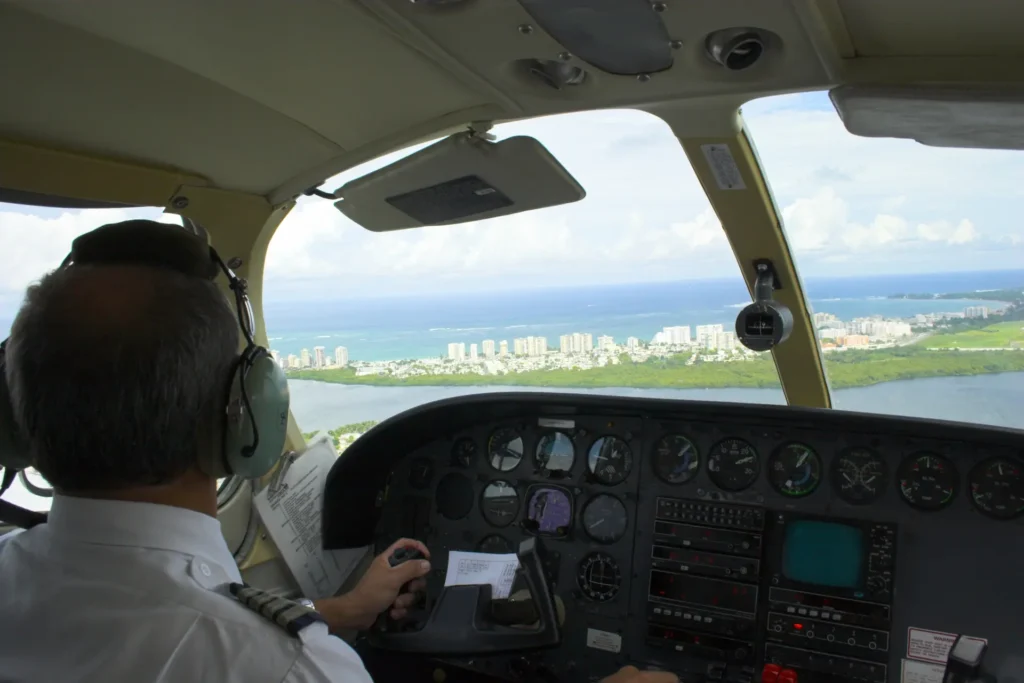
During the early portion of your flight, space checkpoints approximately five to ten nautical miles apart. As you reach cruise and confirm your navigation is accurate, spacing can extend to twenty miles or more in good visibility.
The technique we teach students follows the sequence: watch to ground to map. Note the time, look at the ground to identify landmarks, then verify those observations against your chart. This continuous cycle keeps you oriented and catches errors before they compound.
Dead Reckoning in the Canadian Context
Dead reckoning—navigation based on heading, time, and distance—works in concert with pilotage to maintain situational awareness. Understanding DR is essential because visual references may be difficult to interpret, and wind affects your actual track and groundspeed.
How Charts Support Dead Reckoning
- Measuring true track – Draw your route on the chart and measure the direction from departure to destination
- Determining distance – Use the chart’s scale or latitude markings (one degree of latitude equals approximately 60 nautical miles)
- Identifying terrain constraints – Factor in minimum altitudes based on MEFs along your route
The Continuous Nature of Dead Reckoning
Dead reckoning is not a one-time calculation performed before takeoff and then forgotten. It is a continuous process:
- Before flight, calculate your expected heading, groundspeed, and estimated time to each checkpoint
- After setting heading, note your departure time
- At each checkpoint, compare actual elapsed time against your estimate
- Calculate actual groundspeed by dividing distance traveled by time elapsed
- Revise estimates for remaining legs based on actual conditions
This continuous comparison reveals whether forecast winds match actual conditions. If you arrive at a checkpoint significantly earlier or later than planned, wind conditions have changed, and you must adjust your estimates accordingly.
Wind Effects on Navigation
Wind constantly acts on your aircraft:
- Headwinds reduce groundspeed
- Tailwinds increase groundspeed
- Crosswinds displace your track laterally, requiring heading correction
The wind correction angle (WCA) is the number of degrees you must alter your heading to compensate for wind drift. Calculating WCA requires understanding the relationship between wind direction, wind speed, your true airspeed, and your desired track. The E6B flight computer provides a mechanical solution to this vector problem.
The One in Sixty Rule offers a practical mental tool: if you deviate from your intended course by one degree, after traveling sixty nautical miles, you will be displaced one nautical mile from your planned track. This relationship helps you estimate the effect of navigation errors and understand correction requirements.
Electronic Navigation Aids: GPS and Electronic Flight Bags
Modern technology has transformed how pilots access navigation information. GPS provides position accuracy within meters, and electronic flight bags display charts with real-time position overlay. These tools offer genuine advantages for situational awareness and workload reduction.
However, Transport Canada’s position—reflected in both the TC AIM and TP 12880—is clear:
- GPS and electronic flight bags are supplemental tools
- Charts (paper or electronic) remain the primary planning reference
- Pilots must understand electronic aid limitations
Limitations you must understand:
- Database currency – Electronic databases require updates; outdated information creates hazards
- Power and failure considerations – Batteries die, screens fail, and signals can be blocked
- Distraction risk – Excessive reliance on screens reduces outside visual scanning
The PPL written exam tests basic GNSS principles and limitations. More importantly, flight test standards require that you demonstrate competence with traditional navigation methods even when electronic aids are available. A pilot who cannot navigate without GPS faces genuine danger when that technology fails.
Our recommendation: learn to navigate competently with charts, pilotage, and dead reckoning first. Then use electronic aids to enhance your situational awareness rather than replace your fundamental skills.
Chart Currency, NOTAMs, and Pilot Responsibility
Charts are updated on fixed cycles, but aviation is dynamic. Runways close, obstacles are erected, and procedures change between chart editions.
As the pilot in command, you are legally responsible for:
- Using current charts
- Checking NOTAMs before every flight
- Reviewing the Canada Flight Supplement for aerodrome details
- Confirming that charted information has not been superseded
NOTAMs and AIP Supplements may override charted information. A runway shown as active on your chart may be closed. An obstacle not depicted may have been erected since the chart was published. Failing to check these sources creates risk that no amount of chart-reading skill can mitigate.
How Transport Canada Tests Navigation
Navigation questions on the PPL written exam, as defined by TP 12880, test your ability to:
- Interpret chart symbology correctly
- Apply dead reckoning logic to calculate headings, groundspeeds, and times
- Make planning decisions based on chart information
- Identify appropriate actions for diversions and lost procedures
Questions are often scenario-based and time-pressured. Common errors include:
- Misinterpreting obstacle heights (confusing AGL with ASL)
- Applying magnetic variation incorrectly
- Failure to correctly use coordinates to identify a location
On the flight test, you will plan and execute a cross-country flight to an assigned destination with at least 2 hours cruising range. Examiners evaluate your ability to maintain heading within 10 degrees and altitude within 200 feet. You must determine your position within 15 minutes of setting heading and arrive at checkpoints within a few minutes of your revised estimate.
Connecting Navigation Skills to Your PPL Training
Every concept we have discussed connects directly to the PPL Ground School curriculum. Navigation is not an isolated subject—it integrates with your understanding of weather, performance, regulations, and flight planning to form a complete pilot skill set.
When we teach navigation at The Wise Pilot, we emphasize understanding over memorization. Students who understand why wind correction is required, why charts use specific projections, and why pilotage remains primary can adapt to any situation. Students who only memorize procedures struggle when real-world conditions deviate from textbook scenarios.
The Bottom Line
For Canadian PPL navigation, charts are decision-making tools. Pilotage and dead reckoning work together continuously—you identify your position visually, verify it against your calculations, and maintain awareness of where you should be at every moment of the flight. Electronic aids support this process but never replace it.
The pilot who masters these fundamentals flies with confidence regardless of what technology is available. The pilot who depends entirely on GPS without understanding the underlying navigation principles is one system failure away from being genuinely lost. Transport Canada’s standards exist precisely to ensure that every licensed pilot possesses the competency to navigate safely under all conditions.
Master the charts. Practice your pilotage. Understand dead reckoning as a continuous process. That is how Canadian pilots navigate.
Frequently Asked Questions
Why does Transport Canada emphasize pilotage and dead reckoning over GPS for PPL students?
Hey, if you’re stressing about why you can’t just rely on your iPad for navigation during PPL training, here’s the deal: Transport Canada requires pilotage—spotting landmarks like highways and lakes—and dead reckoning—using heading, time, and distance—as your core skills because they’re the backup when tech fails. GPS is supplemental only, per TP 12880 and TC AIM, since batteries die or signals drop. Master these first for safe VFR flights, then layer on electronics to boost confidence without dependency. Flight tests demand you prove it without gadgets.
How do I pick the right checkpoints for pilotage on a VFR cross-country?
Struggling to stay oriented mid-flight? The key pain point is choosing checkpoints that pop from your cruise altitude. Go for big, unique features like major highway junctions, oddly shaped lakes, towns with standout buildings, or river bends—avoid tiny ponds or similar fields that blend together. Space them 5-10 NM apart early on, stretching to 20 NM once you’re dialed in. Use the “watch to ground to map” cycle: time it, scan below, check your VNC chart. This keeps errors small and builds that “I know where I am” relief.
What’s the difference between VNC and VTA charts, and when do I need each?
Confused which chart to grab for your first cross-country? VNC (1:500,000 Lambert projection) is your enroute go-to for pilotage, dead reckoning, terrain (via MEFs), obstacles, and airports across Canada. VTA (1:250,000 Transverse Mercator) zooms in on busy terminals like Toronto or Vancouver for control zones, VFR routes, and landmarks—essential for arrivals/departures there. Don’t swap them; use VNC overall, add VTA near majors. Some airspace mandates carrying the VTA pre-clearance, solving that “am I legal?” worry.
How does wind mess up dead reckoning, and what’s the quick fix?
Ever arrive at a checkpoint way off time and panic about wind? Headwinds slow your groundspeed, tailwinds speed it up, crosswinds drift you sideways—requiring a wind correction angle (WCA) via E6B. Dead reckoning isn’t set-it-and-forget-it: pre-calculate headings/times, note departure, revise at each leg using actuals (distance/time = groundspeed). The One in Sixty Rule helps: 1° off after 60 NM = 1 NM displaced. Continuously cross-check with pilotage to catch wind surprises early and stay on track.
What if I get lost on my PPL flight test—how do I recover without freaking out?
Lost procedures are a huge student fear, but Transport Canada has your back. Note time/heading, climb for better visibility and radio, draw a “circle of uncertainty” on your VNC (One in Sixty helps size it), then systematically re-identify via pilotage or dead reckoning. Check NOTAMs/CFS for diversions, use supplemental GPS if available—but prove traditional skills. Flight tests expect position fixes within 15 minutes; examiners watch for calm execution. Practice this in ground school to turn “I’m lost” into “I’ve got this.”